

A productive home office is no longer a luxury, it’s essential for anyone working remotely, running an online business, freelancing, or studying from home. The right home office setup can significantly improve focus, efficiency, and overall remote work productivity.
If you want to work smarter instead of longer, your environment matters more than you think.
Table of Contents
ToggleWhy a Productive Home Office Matters
Your physical workspace directly affects your mental performance. Poor lighting, uncomfortable seating, clutter, and constant distractions reduce concentration and increase fatigue. On the other hand, a well-designed smart home office helps you stay organized, energized, and focused throughout the day.
When your workspace supports your goals, productivity becomes natural rather than forced.
Choose the Right Space for Your Home Office Setup
The first step in creating an ergonomic home office is selecting the right location. Ideally, your workspace should be separate from sleeping or entertainment areas. Even a small corner can become an efficient home office if it is intentional and distraction-free.
Natural light improves mood and alertness, while a quiet area reduces interruptions during video calls and deep work sessions. If a separate room isn’t available, using a divider or bookshelf can help create psychological separation between work and personal life.
Invest in an Ergonomic Home Office Design
An ergonomic home office setup prevents long-term physical strain and supports sustained productivity. Sitting for extended hours requires proper posture and support. Your chair should support your lower back, your desk height should allow your elbows to rest comfortably at 90 degrees, and your monitor should be positioned at eye level.
Using an external keyboard and mouse when working on a laptop can significantly reduce neck and shoulder tension. Over time, these small adjustments protect your health and improve daily performance.
Upgrade to a Smart Home Office
Technology plays a key role in remote work productivity. A smart home office includes tools that automate comfort and enhance focus.
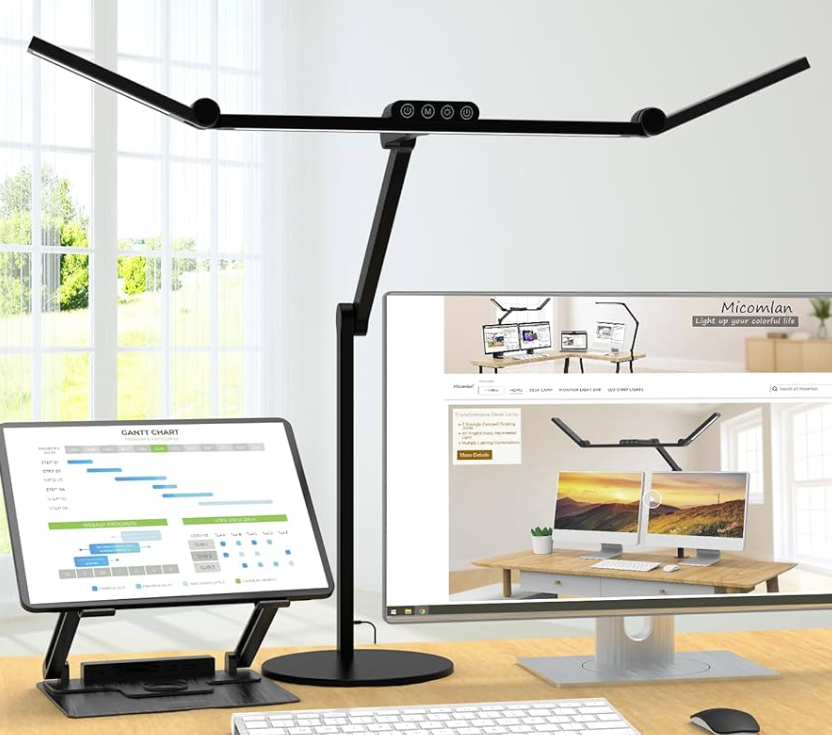
Smart lighting systems allow you to adjust brightness and color temperature depending on the time of day. Cooler light increases alertness during work hours, while warmer light reduces eye strain in the evening. Automation features like scheduling and voice control simplify daily routines and reduce decision fatigue.
Noise control is equally important. Noise-canceling headphones, acoustic panels, or even white noise solutions can dramatically improve concentration, especially in shared households.
Keep Your Workspace Organized and Minimal
Clutter is one of the biggest productivity killers in a home office environment. A clean desk improves mental clarity and reduces stress. Instead of filling your desk with unnecessary items, keep only what supports your daily workflow.
Cable management solutions, vertical storage, and drawer organizers help maintain a streamlined appearance. A minimalist home office setup doesn’t just look professional — it improves focus and workflow efficiency.
Improve Air Quality and Comfort
Air quality and comfort are often overlooked when designing a productive home office. Fresh air, proper ventilation, and humidity control directly affect energy levels and cognitive performance.
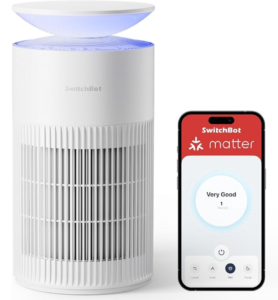
Indoor plants add oxygen and create a calming atmosphere. Air purifiers help reduce allergens and dust, while humidifiers are especially useful in dry climates. Small environmental upgrades can significantly enhance long-term remote work productivity.
Ensure Reliable Technology and Internet
A productive home office setup depends on stable technology. High-speed internet, surge protection, and organized charging stations prevent unnecessary interruptions. If your work involves video meetings or cloud-based systems, connectivity should never be an afterthought.
A backup power solution or secondary internet option can also protect your workflow during outages.
Build Strong Work-From-Home Habits
Even the best smart home office cannot replace discipline. Structured routines, focused work sessions, and scheduled breaks are essential for sustainable productivity. Creating clear start and finish times helps maintain work-life balance while maximizing efficiency.
Your environment supports your habits – and strong habits maximize your environment.
Final Thoughts: Design a Home Office That Works for You
Creating a productive home office is not about expensive furniture or complex technology. It’s about designing a space that supports focus, comfort, and efficiency.
An optimized home office setup combines ergonomic design, smart technology, organization, and intentional habits. When these elements work together, remote work productivity becomes consistent and sustainable.
If you’re planning to upgrade your smart home office, start with small improvements and build from there. The right environment can transform the way you work every day.
Disclosure: Some of the links in this post are affiliate links. If you purchase through these links, we may earn a commission at no additional cost to you.